
Using MCP via API
Learn how to use Model Context Protocol (MCP) servers with LM Studio API.
Requires LM Studio 0.4.0 or newer.
LM Studio supports Model Context Protocol (MCP) usage via API. MCP allows models to interact with external tools and services through standardized servers.
How it works
MCP servers provide tools that models can call during chat requests. You can enable MCP servers in two ways: as ephemeral servers defined per-request, or as pre-configured servers in your mcp.json file.
Ephemeral vs mcp.json servers
| Feature | Ephemeral | mcp.json |
|---|---|---|
| How to specify in request | integrations -> "type": "ephemeral_mcp" | integrations -> "type": "plugin" |
| Configuration | Only defined per-request | Pre-configured in mcp.json |
| Use case | One-off requests, remote MCP tool execution | MCP servers that require command, frequently used servers |
| Server ID | Specified via server_label in integration | Specified via id (e.g., mcp/playwright) in integration |
| Custom headers | Supported via headers field | Configured in mcp.json |
Ephemeral MCP servers
Ephemeral MCP servers are defined on-the-fly in each request. This is useful for testing or when you don't want to pre-configure servers.
Info
Ephemeral MCP servers require the "Allow per-request MCPs" setting to be enabled in Server Settings.
curl http://localhost:1234/api/v1/chat \
  -H "Authorization: Bearer $LM_API_TOKEN" \
  -H "Content-Type: application/json" \
  -d '{
    "model": "ibm/granite-4-micro",
    "input": "What is the top trending model on hugging face?",
    "integrations": [
      {
        "type": "ephemeral_mcp",
        "server_label": "huggingface",
        "server_url": "https://huggingface.co/mcp",
        "allowed_tools": ["model_search"]
      }
    ],
    "context_length": 8000
  }'
The model can now call tools from the specified MCP server:
{
  "model_instance_id": "ibm/granite-4-micro",
  "output": [
    {
      "type": "reasoning",
      "content": "..."
    },
    {
      "type": "message",
      "content": "..."
    },
    {
      "type": "tool_call",
      "tool": "model_search",
      "arguments": {
        "sort": "trendingScore",
        "limit": 1
      },
      "output": "...",
      "provider_info": {
        "server_label": "huggingface",
        "type": "ephemeral_mcp"
      }
    },
    {
      "type": "reasoning",
      "content": "\n"
    },
    {
      "type": "message",
      "content": "The top trending model is ..."
    }
  ],
  "stats": {
    "input_tokens": 419,
    "total_output_tokens": 362,
    "reasoning_output_tokens": 195,
    "tokens_per_second": 27.620159487314744,
    "time_to_first_token_seconds": 1.437
  },
  "response_id": "resp_7c1a08e3d6e279efcfecb02df9de7cbd316e93422d0bb5cb"
}
MCP servers from mcp.json
MCP servers can be pre-configured in your mcp.json file. This is the recommended approach for using MCP servers that take actions on your computer (like microsoft/playwright-mcp) and servers that you use frequently.
Info
MCP servers from mcp.json require the "Allow calling servers from mcp.json" setting to be enabled in Server Settings.
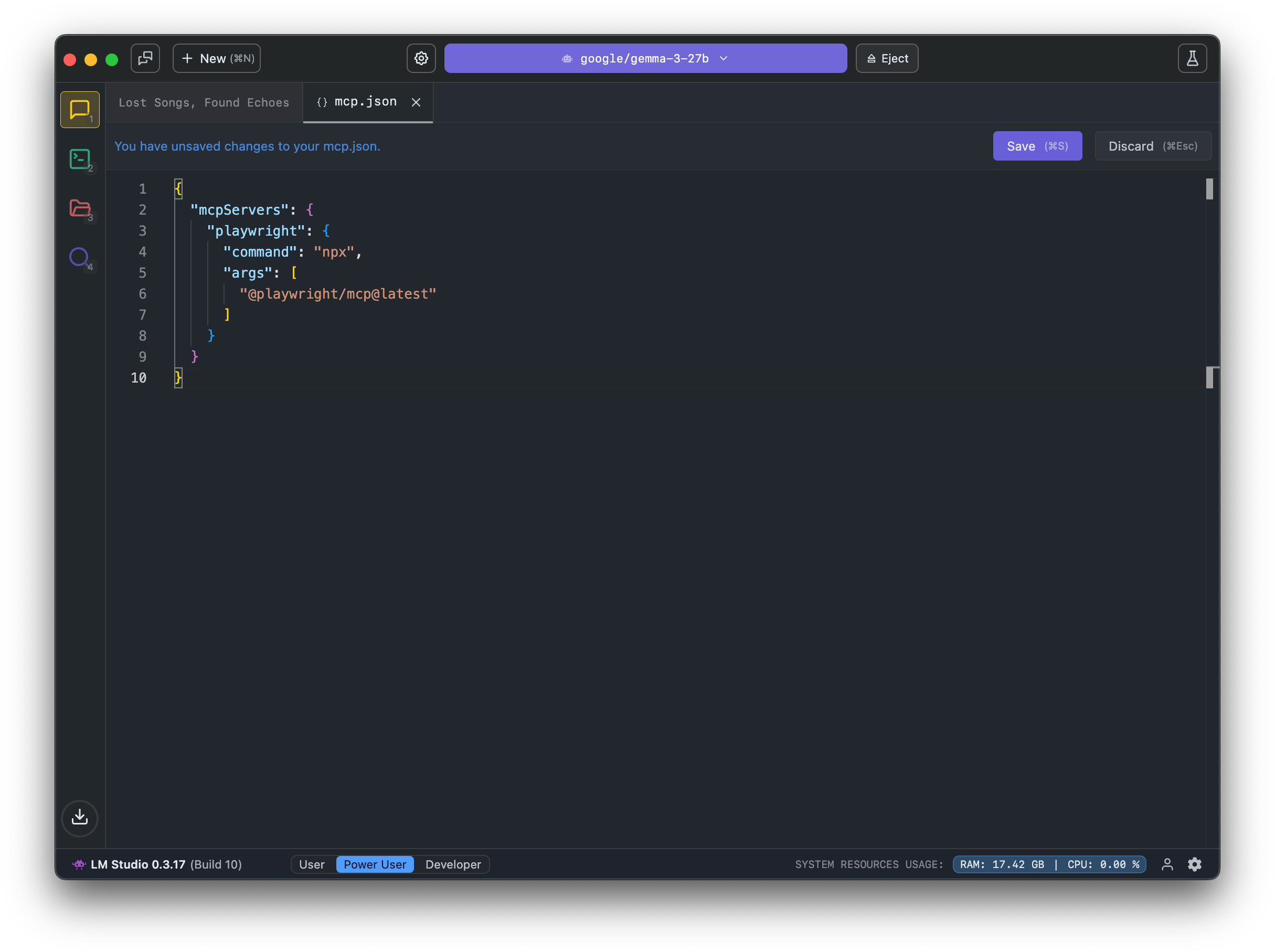
curl http://localhost:1234/api/v1/chat \
  -H "Authorization: Bearer $LM_API_TOKEN" \
  -H "Content-Type: application/json" \
  -d '{
    "model": "ibm/granite-4-micro",
    "input": "Open lmstudio.ai",
    "integrations": ["mcp/playwright"],
    "context_length": 8000,
    "temperature": 0
  }'
The response includes tool calls from the configured MCP server:
{
  "model_instance_id": "ibm/granite-4-micro",
  "output": [
    {
      "type": "reasoning",
      "content": "..."
    },
    {
      "type": "message",
      "content": "..."
    },
    {
      "type": "tool_call",
      "tool": "browser_navigate",
      "arguments": {
        "url": "https://www.youtube.com/watch?v=dQw4w9WgXcQ"
      },
      "output": "...",
      "provider_info": {
        "plugin_id": "mcp/playwright",
        "type": "plugin"
      }
    },
    {
      "type": "reasoning",
      "content": "..."
    },
    {
      "type": "message",
      "content": "The YouTube video page for ..."
    }
  ],
  "stats": {
    "input_tokens": 2614,
    "total_output_tokens": 594,
    "reasoning_output_tokens": 389,
    "tokens_per_second": 26.293245822877495,
    "time_to_first_token_seconds": 0.154
  },
  "response_id": "resp_cdac6a9b5e2a40027112e441ce6189db18c9040f96736407"
}
Restricting tool access
For both ephemeral and mcp.json servers, you can limit which tools the model can call using the allowed_tools field. This is useful if you do not want certain tools from an MCP server to be used, and can speed up prompt processing due to the model receiving fewer tool definitions.
curl http://localhost:1234/api/v1/chat \
  -H "Authorization: Bearer $LM_API_TOKEN" \
  -H "Content-Type: application/json" \
  -d '{
    "model": "ibm/granite-4-micro",
    "input": "What is the top trending model on hugging face?",
    "integrations": [
      {
        "type": "ephemeral_mcp",
        "server_label": "huggingface",
        "server_url": "https://huggingface.co/mcp",
        "allowed_tools": ["model_search"]
      }
    ],
    "context_length": 8000
  }'
If allowed_tools is not provided, all tools from the server are available to the model.
Custom headers for ephemeral servers
When using ephemeral MCP servers that require authentication, you can pass custom headers:
curl http://localhost:1234/api/v1/chat \
  -H "Authorization: Bearer $LM_API_TOKEN" \
  -H "Content-Type: application/json" \
  -d '{
    "model": "ibm/granite-4-micro",
    "input": "Give me details about my SUPER-SECRET-PRIVATE Hugging face model",
    "integrations": [
      {
        "type": "ephemeral_mcp",
        "server_label": "huggingface",
        "server_url": "https://huggingface.co/mcp",
        "allowed_tools": ["model_search"],
        "headers": {
          "Authorization": "Bearer <YOUR_HF_TOKEN>"
        }
      }
    ],
    "context_length": 8000
  }'